What is API?
The API is a connection your tech team can set up so your list of eligible employees updates in Clearhead automatically, straight from your own systems. It does the same job as uploading a file in the portal by hand, just without anyone having to log in and do it each time.
Why would we use it?
The main reason is automation. If your eligibility list lives in an HR system (an HRIS), you can have your code pull the current employee list and send it to Clearhead automatically: on a schedule, or whenever your records change. That keeps eligibility in sync without anyone manually exporting and uploading a file each time.
How is it different from uploading a file in the portal?
The data itself is handled the same way, but there's one important difference to know about: by default, the API applies changes automatically once it has detected them, without waiting for someone to review them in the portal. Or if you choose to, your developers can adjust the settings to enable you to review these changes before they go live.
What is an API key?
An API key is like a password that authorises your code to send data to Clearhead. Your developers include it in their requests so the system knows the data is coming from your organisation.
Who in our organisation handles this, HR or our tech team?
Usually both. The API is used by your technical/developer team, since it involves code, but the API key is generated from the admin portal, so an admin (often HR) typically creates the key and passes it to the developers.
Where do developers find the technical documentation?
You (the admin) don’t need to read the technical documentation yourself. Your only step is to get the API key from your admin portal under Settings → API Keys (see below), then pass that key along with the documentation link to your tech team.
The full developer documentation (endpoints, example requests, and error codes) lives at https://admin.myclearhead.com/api-docs. Your developers will use the API key you provide to authenticate, and the documentation to understand how to connect.
Getting the API key for your tech team
This is the main thing HR needs to do. To create a key and pass it on:
- Log into the admin portal.
- Go to Settings → API Keys.
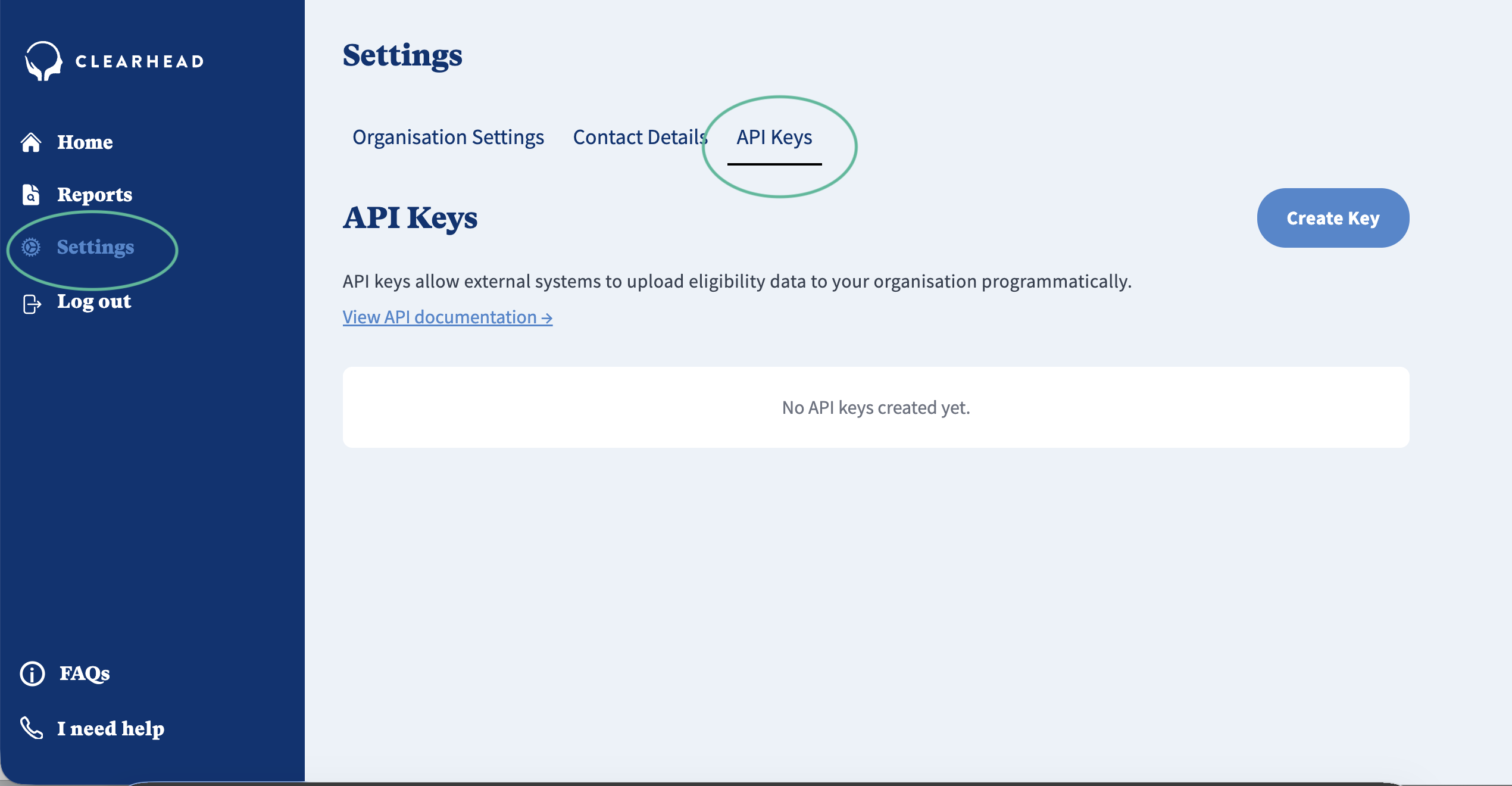
3. Click on “Create Key”.
4. Select a name for the key and click “create”
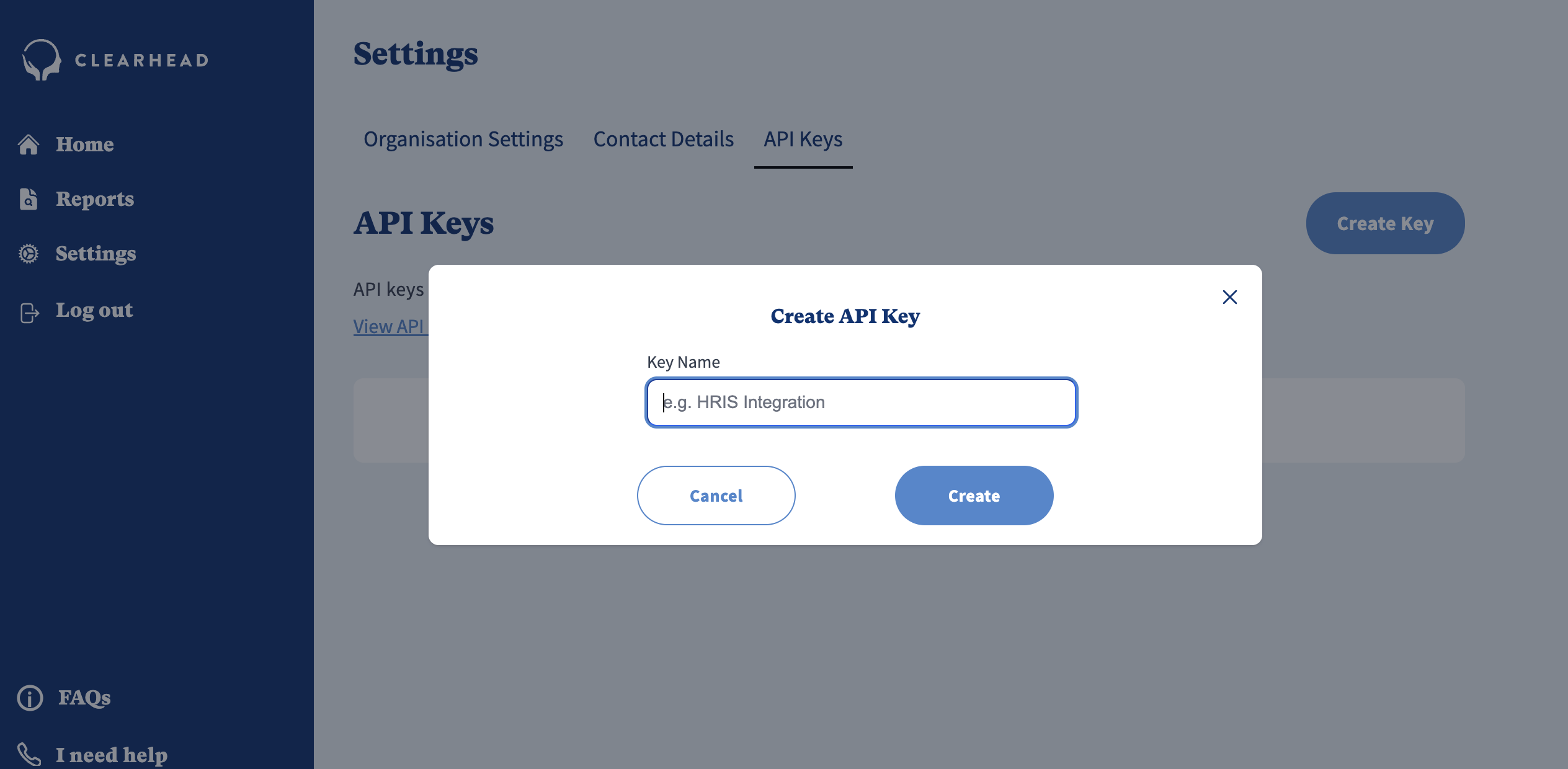
Important: The key is shown only once, at the moment it's created. It needs to be copied and stored securely straight away, because it can't be retrieved again afterwards.
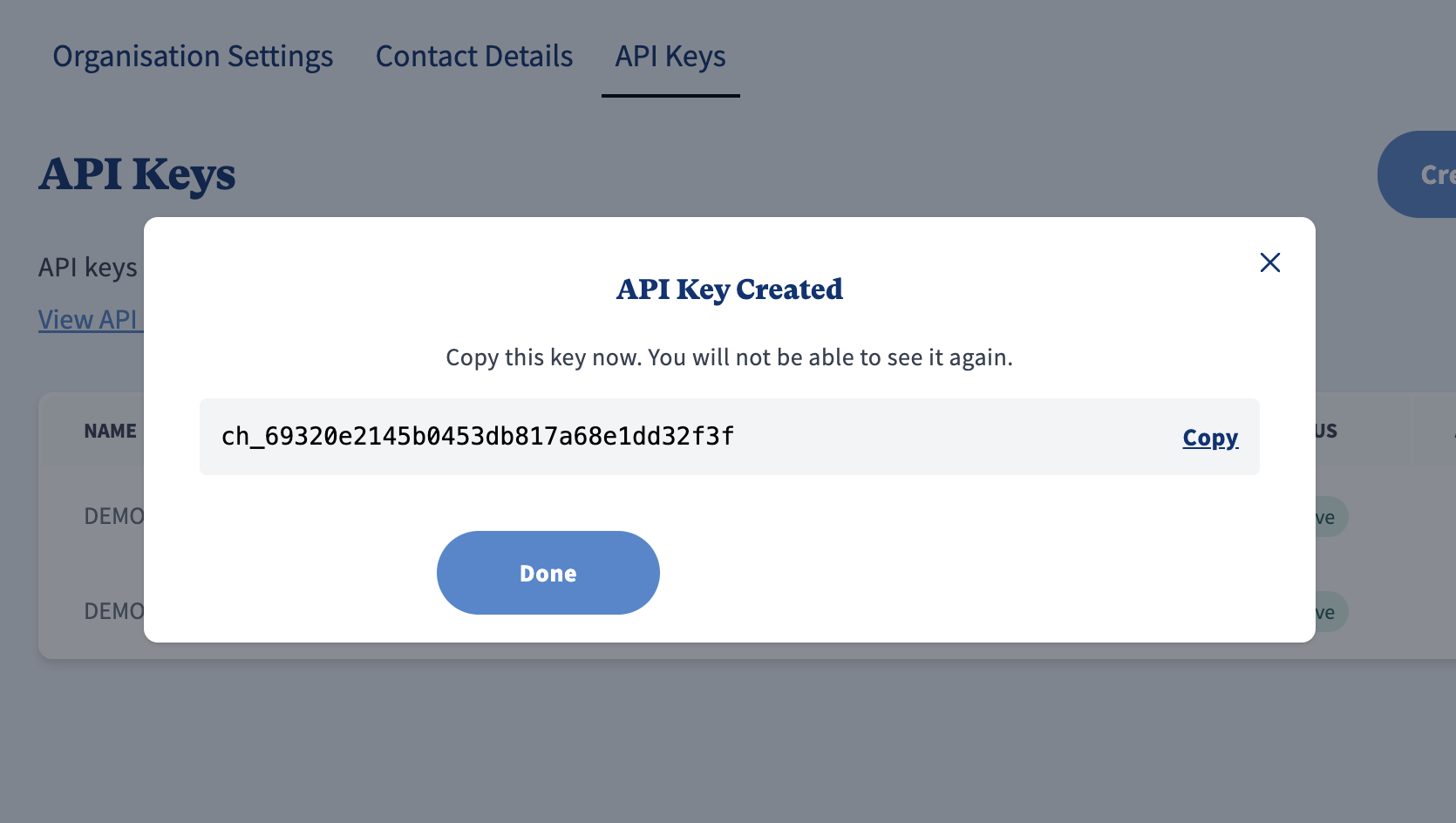
5. Pass the key to your tech team through a secure channel alongside the documentation: https://admin.myclearhead.com/api-docs
Anything we need to be careful about?
Two things:
- Remember: The key is shown only once, at the moment it's created. Copy it and store it securely straight away, because it can't be retrieved again afterwards.
- Treat it like a password. Share it only with the people who genuinely need it.
Is API included automatically?
No. If you'd like it switched on, please get in touch with your designated Customer Support Manager or contact us at support@myclearhead.com
Was this article helpful?
That’s Great!
Thank you for your feedback
Sorry! We couldn't be helpful
Thank you for your feedback
Feedback sent
We appreciate your effort and will try to fix the article