If your Employment Hero sync is not working, please delete the sync and try again.
To do this, go to your Settings and click the Integrations tab.
Then click on Manage.
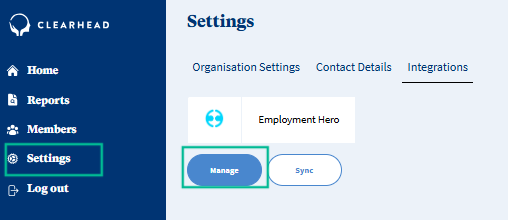
Click on your EH integration, then the three dots and click on “Delete”.
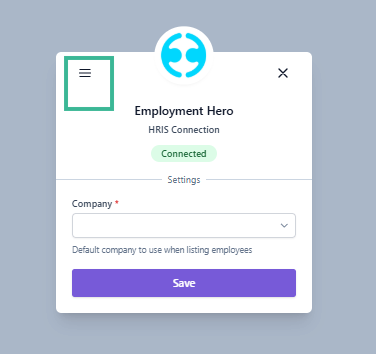
Refresh your screen and then try to Sync again.
If you are still experiencing issues, please reach out to support@myclearhead.com.
Was this article helpful?
That’s Great!
Thank you for your feedback
Sorry! We couldn't be helpful
Thank you for your feedback
Feedback sent
We appreciate your effort and will try to fix the article