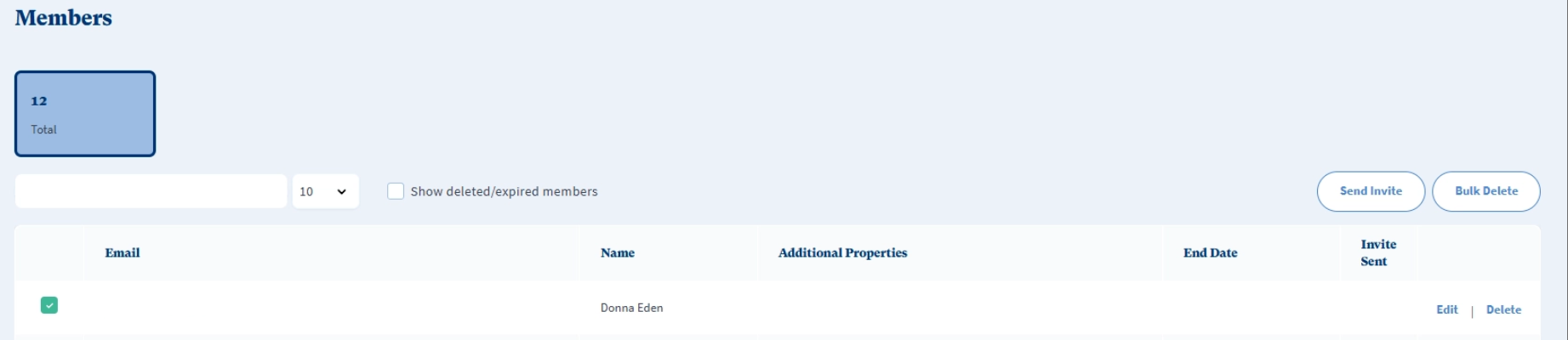
If you have added a list of your people's emails to the Members Tab in the Management Portal you are able to choose which of them to send email invites to.
Simply tick the box next to the the person you'd like to invite and click 'Send Invite'.
This sends them an email from Clearhead inviting them to join the platform and get started.
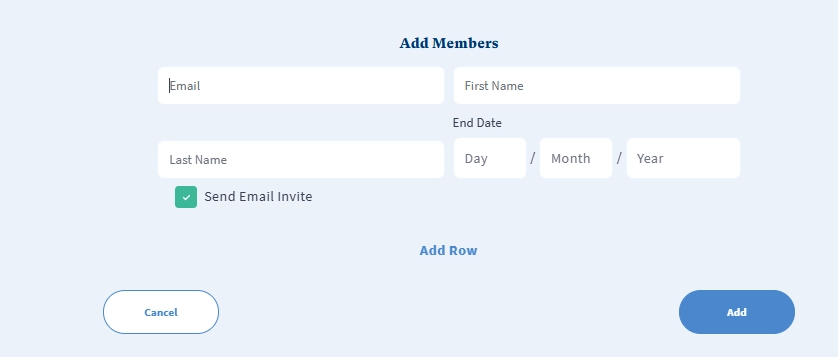
If you want to add a single user and send them an email invite simulatenously you can click 'Add' in the Members tab of the management portal, enter their details, ensure 'Send Email Invite' is ticked and press 'Add'.
This gives them access and sends them an email from Clearhead inviting them to join the platform and get started.
See related articles:
How to Bulk Email Invite Members to Clearhead
How to give multiple Members access at once using our Bulk Import Tool
How to Add, Edit, or Remove Member access one by one
Was this article helpful?
That’s Great!
Thank you for your feedback
Sorry! We couldn't be helpful
Thank you for your feedback
Feedback sent
We appreciate your effort and will try to fix the article